

Who should use the Predict Market Trends workflow?
Teams or solo builders working on business tasks who want a repeatable process instead of one-off tool experiments.
AI Workflow · Business
A focused workflow to identify, analyze, and forecast market trends using real-time data and AI, delivering actionable insights for strategic decisions.
Deliverable outcome
A 2-3 page report (PDF or slide deck) ready for executive presentation.




30-90 minutes
Includes setup plus initial result generation
Free to start
You can swap tools by pricing and policy requirements
A 2-3 page report (PDF or slide deck) ready for executive presentation.
Use each step output as the input for the next stage
Step map
Instead of relying on a single generic AI model, this pipeline connects specialized tools to maximize quality. First, you'll use DevPass AI Gateway to a documented scope and a list of 3-5 data sources ready for ingestion. Then, you pass the output to Exploding Topics to a clean, timestamped dataset ready for analysis. Then, you pass the output to TrendSpider to a time-series chart of sentiment scores and volume spikes, highlighting key inflection points. Then, you pass the output to WGSN to a forecast graph with confidence intervals for the next 1-3 months. Then, you pass the output to Bloomberg Terminal to a validated forecast with a confidence score (e.g., high/medium/low) based on external alignment. Finally, Canva Magic Studio is used to a 2-3 page report (pdf or slide deck) ready for executive presentation.
Define Scope and Data Sources
A documented scope and a list of 3-5 data sources ready for ingestion.
Ingest and Clean Real-Time Data
A clean, timestamped dataset ready for analysis.
Analyze Sentiment and Volume Trends
A time-series chart of sentiment scores and volume spikes, highlighting key inflection points.
Forecast Future Trends with Predictive Models
A forecast graph with confidence intervals for the next 1-3 months.
Cross-Validate with External Indicators
A validated forecast with a confidence score (e.g., high/medium/low) based on external alignment.
Compile Actionable Business Report
A 2-3 page report (PDF or slide deck) ready for executive presentation.
Identify the specific market or industry segment to analyze, then select relevant data sources (e.g., social media, news feeds, sales data, industry reports). This ensures the analysis is focused and data is actionable.
Why DevPass AI Gateway: DevPass AI Gateway provides a central dashboard to manage API keys and route requests, directly addressing the need for data source API key management and secure access.
Pull data from selected sources using automated scripts or low-code tools, then clean it by removing duplicates, normalizing text, and handling missing values. This step ensures data quality for analysis.
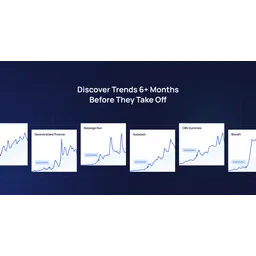
Why Exploding Topics: Exploding Topics identifies emerging trends and provides market analysis, which can be ingested as real-time data for cleaning and processing.
Apply natural language processing (NLP) to gauge public sentiment (positive/negative/neutral) and track mention volume over time. This reveals emerging patterns and shifts in consumer perception.
Why TrendSpider: TrendSpider uses AI-powered pattern detection and scanners to analyze market data, directly supporting sentiment and volume trend analysis.
Use time-series forecasting (e.g., ARIMA, Prophet) or machine learning (e.g., LSTM) to predict future sentiment and volume based on historical patterns. This provides a data-driven outlook.
Why WGSN: WGSN specializes in predictive analytics and trend identification, directly aligning with the need to forecast future trends using predictive models.
Compare forecasted trends against external benchmarks (e.g., economic indicators, competitor moves, expert opinions) to confirm or adjust predictions. This reduces false signals.
Why Bloomberg Terminal: Bloomberg Terminal provides real-time market monitoring and quantitative modeling, ideal for cross-validating forecasts with external financial indicators.
Synthesize findings into a concise report with visualizations (charts, heatmaps) and clear recommendations (e.g., 'Invest in X trend' or 'Mitigate risk from Y decline'). Tailor language for decision-makers.
Why Canva Magic Studio: Canva Magic Studio enables creating social media posts and generating copy with AI, directly supporting the design and compilation of an actionable business report.
§ Before you start
Teams or solo builders working on business tasks who want a repeatable process instead of one-off tool experiments.
No. Start with the top pick for each step, then replace tools only if they do not fit your pricing, compliance, or output needs.
Open the mapped task page and compare top options side by side. Prioritize output quality, integration fit, and predictable cost before scaling.
§ Related
Automate high-volume lead discovery, qualification, and personalized outreach with AI-driven research and CRM enrichment.
Create high-ranking editorial content that is optimized for both humans and search engines — from first draft to published article.
Scale your social presence by identifying the right influencer partners, analyzing what content performs, and automating your publishing schedule.